
Introduction
In today’s digital world, users expect websites, mobile applications, and software products to be easy to use, visually appealing, and reliable. If a digital product is confusing or difficult to navigate, users may leave and choose a competitor instead.
This is why the importance of UI/UX design continues to grow. Good design goes beyond appearance. It helps users understand a product, complete tasks easily, and enjoy a consistent digital experience.
Whether you are launching a business website, developing a mobile app, or building custom business software, investing in UI/UX design can improve customer satisfaction and support long-term business growth.
"Good design isn't just about making things look nice, it's about making them work better."
What Is UI/UX Design?
UI and UX are closely connected, but they serve different purposes.
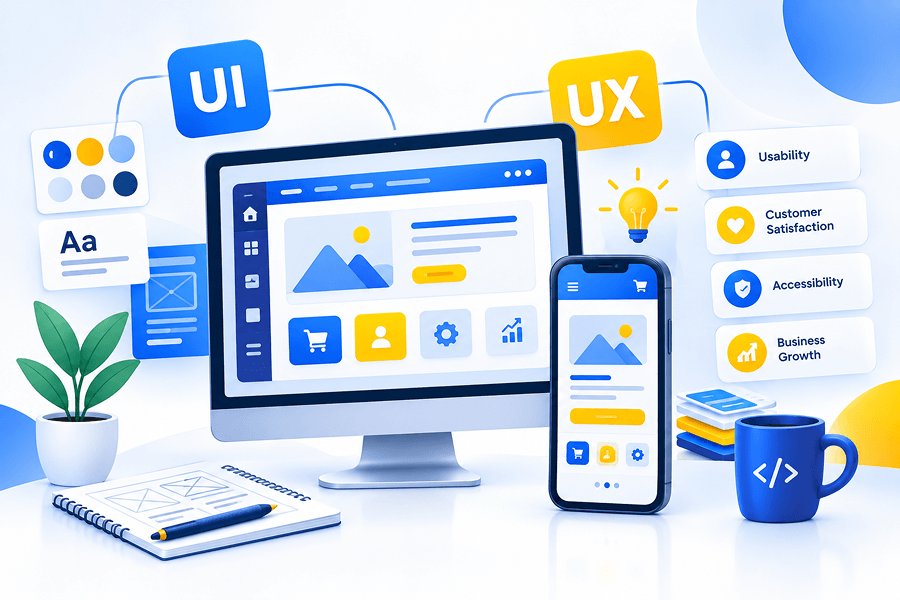
User Interface (UI) design focuses on the visual and interactive elements of a digital product. These include colours, typography, buttons, icons, forms, spacing, menus, and page layouts.
User Experience (UX) design focuses on the complete experience users have when interacting with a product. It considers their needs, goals, expectations, challenges, and the steps required to complete a task.
For example, a shopping application may have an attractive product page, which is part of UI design. If customers can easily find products, select sizes, pay securely, and track orders, those interactions contribute to a positive UX.
The best digital products combine both to create experiences that look professional and work effectively.
Why UI/UX Design Matters
Improves User Satisfaction
Users appreciate digital products that are straightforward and predictable. Clear navigation, readable text, meaningful buttons, and well-organised content help people complete tasks without unnecessary confusion.
Increases Conversions
A website or app should guide users towards useful actions, such as making a purchase, requesting a quotation, booking an appointment, or submitting an enquiry.
Builds Trust and Credibility
People often form an impression of a business through its website or application. Inconsistent layouts, broken links, unclear information, and confusing forms can make a product appear unreliable.
Reduces User Frustration
A confusing checkout, complicated registration form, or poorly organised dashboard can cause users to abandon a task. A confusing checkout, complicated registration form, or poorly organised dashboard can cause users to abandon a task.
Supports Customer Retention
A digital product should remain useful after the first visit. Clear workflows, consistent navigation, accessible features, and helpful feedback encourage people to continue using it.
Creates a Competitive Advantage
Many businesses offer similar services and features. An intuitive, accessible, and thoughtfully designed digital product can help distinguish your business from alternatives.
Essential Principles of Effective UI/UX Design
Keep the Interface Simple
Avoid unnecessary visual elements, excessive text, and too many competing calls to action. Focus each screen on its main purpose and make the next step clear.
Simplicity should make a product easier to use, not remove features users genuinely need.
Make Navigation Intuitive
Menus, page labels, search tools, and navigation patterns should follow familiar conventions. Users should be able to understand where they are and how to reach the information they need.
For larger applications, dashboards and categorised menus can help organise complex functionality.
Design for Mobile and Different Screen Sizes
Customers may access a digital product using a phone, tablet, laptop, or desktop computer. Responsive layouts, touch-friendly controls, readable typography, and appropriately sized content help deliver a consistent experience across devices.
Mobile usability should be considered from the beginning rather than added as an afterthought.
Maintain Visual Consistency
Use a consistent design system for colours, typography, buttons, icons, spacing, form fields, and cards. Consistency helps users learn how the product works and gives the brand a professional appearance.
Reusable UI components also make future updates easier to manage.
Prioritise Accessibility
A good digital experience should accommodate users with different abilities and needs. Sufficient colour contrast, keyboard navigation, descriptive labels, clear focus states, meaningful alternative text, and readable content can improve accessibility.
Accessibility should be part of the design and development process, not just a final checklist.
Provide Clear Feedback
Users should know what happens after they take an action. Confirmation messages, loading indicators, validation hints, success notifications, and understandable error messages help people navigate a product with confidence.
For example, after submitting a booking form, users should receive a clear confirmation instead of wondering whether their request was received.
Conclusion
The importance of UI/UX design in modern digital products lies in its ability to connect usability, visual clarity, accessibility, and business goals. A successful website or application should not only look appealing; it should help users accomplish their objectives with confidence.
By understanding your audience, simplifying workflows, maintaining consistency, testing designs, and improving the experience over time, you can build digital products that better serve customers and support your business.
At Happy Source, we help businesses turn ideas into user-friendly websites, mobile applications, and custom digital solutions. If you are planning a new product or improving an existing one, thoughtful UI/UX design is a strong place to start.
Explore our web and e-commerce development services, learn about our Android and mobile app development services, or contact Happy Source to discuss your project.